
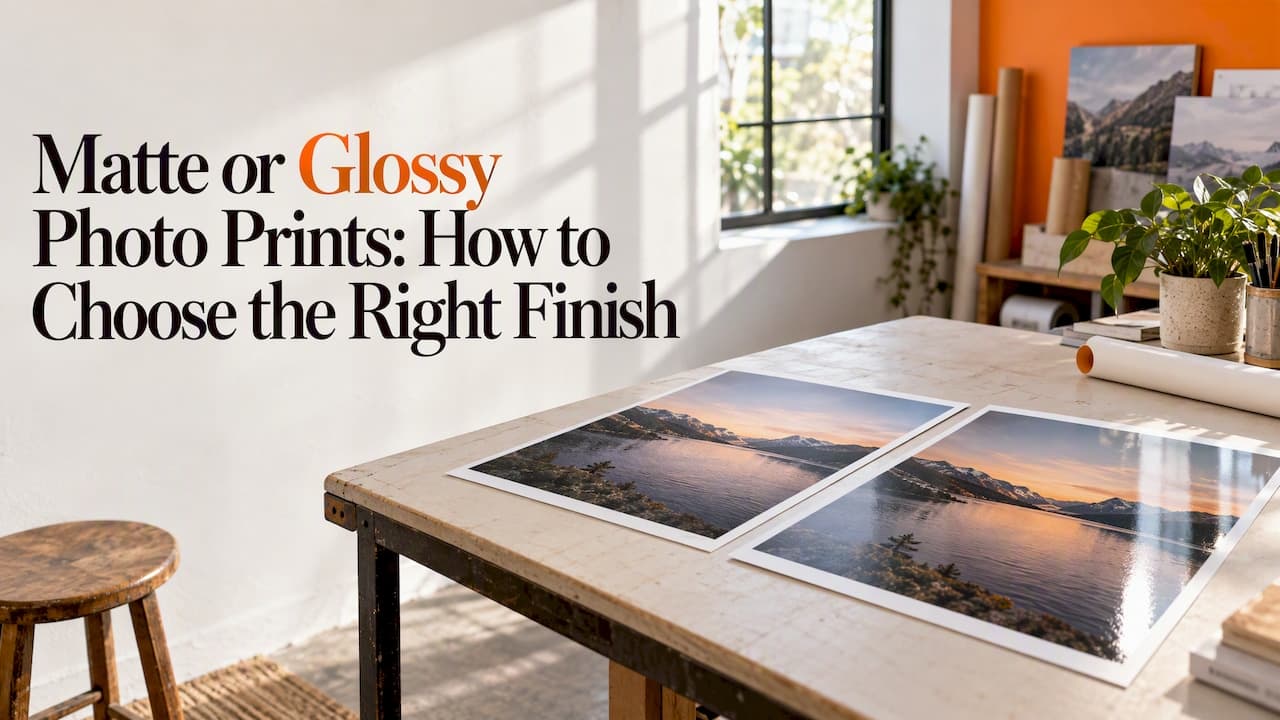
Choose glossy when you want the most saturated color and deepest blacks and the print will hang where glare is not a problem. Choose matte when the print will sit in a bright room, get handled, or go behind glass, or when you want a calm, painterly look. If you can't decide, the two finishes are closer than the debate suggests, and the subject of your photo and the wall it will hang on usually settle it.
This guide goes through what each finish does to your image, where each one fails, and how to match a finish to a specific photo and room. It also covers a few things that change the answer: texture, canvas versus paper, and how you prepare the file.
TL;DR
- Glossy gives the punchiest color and contrast, but it reflects light and shows fingerprints.
- Matte cuts glare and feels more subdued and natural, with slightly softer color and contrast.
- Bright rooms, big windows and frameless hanging favor matte. Dark hallways, portraits you want to pop and small framed prints under glass favor glossy.
- Texture matters as much as shine: a textured surface never prints as crisp as a smooth one, so judge fine detail against the surface.
- A good file (300 DPI at the final print size) matters more than the finish you pick.
Table of Contents
- What actually separates matte from glossy
- Side-by-side comparison
- Choosing by what is in the photo
- Choosing by the room
- Don't forget the middle options
- Texture changes the answer
- Canvas or paper: how the finish plays out
- Perspective: how we think about finishes
- Prepare the file before you pick the finish
- If you are printing at home
- Order a print in the finish you want
- A quick decision guide
- FAQ
- Sources
What actually separates matte from glossy
Both finishes carry the same image. The difference is the surface the ink sits in or under. A glossy print has a smooth, reflective surface. As Shotkit explains, the shine and light reflection come from the coating layers applied to the paper. A matte print has a flat, diffused surface that scatters light instead of bouncing it back at the viewer.
That one physical difference produces everything else you notice:
- Color and contrast. A glossy surface lets the darkest areas look deeper, so blacks look richer and colors look more saturated. A matte surface scatters some light, which lifts the blacks slightly and softens the punch.
- Glare. Glossy mirrors lamps, windows and phone flashes. Matte barely does.
- Touch. Oils from skin show up clearly on a glossy surface. Matte hides them better, which is why it suits prints that get passed around.
- Mood. Glossy reads as crisp, modern and photographic. Matte reads as soft, quiet and closer to a painting or a printed page.
HP's home printing guide sums up the usual rule of thumb: glossy for vibrant color, matte for glare-free display, and satin as a general-purpose middle option.
Side-by-side comparison
| Factor | Glossy | Matte |
|---|---|---|
| Color saturation | Highest | Slightly more muted, often more natural-looking |
| Blacks and contrast | Deepest | Gentler, a little lifted |
| Glare in bright rooms | High | Very low |
| Fingerprints | Show easily | Hidden better |
| Fine detail | Looks sharpest | Looks softer, especially on textured surfaces |
| Best mood | Bold, vivid, modern | Quiet, artistic, timeless |
| Best for | Dark or evenly lit spaces, small framed prints | Bright spaces, large unframed prints, gifts that get handled |
Treat the table as tendencies, not laws. A well-printed matte image can look stunning and rich, and a poorly lit glossy hallway can look fine. The room is half of the decision.
Choosing by what is in the photo
Start with the picture, not the finish.
Portraits and family photos
Faces look good on both. Glossy adds sparkle to eyes and saturation to skin tones, but it can make a smiling portrait hard to see from the side if a window is across the room. For a family photo that will hang in a living room with daylight, matte usually wins. For a framed 5x7 on a shelf, glossy under glass is a safe choice.
Landscapes and travel shots
Saturated skies, deep greens and wet rocks are where glossy earns its reputation. If your photo depends on punchy color and a wide tonal range, glossy shows it off. If the landscape is misty, muted or golden-hour soft, matte keeps the mood instead of exaggerating it.
Black and white
This is where people most often expect glossy to be better and then prefer matte. Black and white relies on tone rather than color, and a matte surface renders the midtones gracefully and gives a classic, fine-art feel. Glossy gives the deepest black, which suits high-contrast street photography and dramatic studio work.
Digital art and illustration
Flat color, gradients and fine linework respond differently. Bright, saturated digital art tends to benefit from the extra vibrancy of a glossy surface. Painterly, textured or muted artwork usually looks more authentic on matte or fine art paper, where there is no sheen competing with the brushwork you made on purpose.
Product and business imagery
For an office, glare is the enemy. Overhead lights, glass walls and screens mean a glossy print can look washed out from half the room. Matte is the safer choice for reception areas, meeting rooms and anywhere people view the print from varied angles.
Choosing by the room
Hold your phone up where the print will hang and look at the wall at the times you are usually in the room. Three quick checks:
- Where is the light coming from? A window opposite or beside the wall creates glare on glossy. Soft, indirect light is kind to both.
- How will people see it? If viewers walk past at an angle, such as in a hallway or an open-plan office, matte holds up better. If they face it head on, glossy is less of a risk.
- Will it be touched? Kids' rooms, entryways and gifts that get picked up favor matte.
A dark room with controlled lighting is the best case for glossy. A sunny room with large windows is the best case for matte.
Don't forget the middle options
Many labs and print shops also offer finishes between the two, usually called satin, semi-gloss or luster. They keep much of the color of glossy while cutting reflections. If a retailer offers one and you are torn, it is a reasonable tiebreaker. Names vary between sellers, so read the description of each finish instead of relying on the label alone.
Texture changes the answer
Shine is only one part of how a print feels. Surface texture also changes how sharp the image looks. According to an imaging center's pricing guide, textured papers such as watercolor, cold-press, canvas or linen never print as crisply as smooth ones. The same guide lists the camera capture, the processing, the printer and the viewing distance as other factors.
In practice:
- A razor-sharp architectural shot or product photo needs a smooth surface to show its edges.
- A landscape, a portrait with soft light or a painterly piece can gain character from texture, because viewers stand back and the texture reads as depth.
- The larger the print, the farther people stand, and the more forgiving texture becomes.
Canvas or paper: how the finish plays out
The matte-or-glossy question changes a little depending on the material.
On paper, the choice is the classic one above. Smooth glossy paper gives the most photographic result. Matte and fine art paper give the quiet, gallery look, and fine art paper in particular suits artists selling or exhibiting reproductions. Paper prints are also usually framed, and glass in front of a print changes things: a glossy print behind glass can double the reflections, so matte often works better in a glass frame in a bright room.
On canvas, the weave already softens light, so canvas always reads as less glossy than photo paper. That makes it forgiving in a bright room and flattering for portraits, landscapes and art. Canvas also usually hangs without glass, so you are seeing the surface directly. If you pick canvas, think about the edge too: a gallery wrap carries the image around the sides for a deeper, ready-to-hang look, while a slim profile sits closer to the wall for a lighter, more modern feel.

Perspective: how we think about finishes

We print on both handcrafted canvas and premium art paper, and the finish question comes up in nearly every conversation about a new order. Our view is simple: pick the finish for the wall first and the photo second.
Most disappointments come from a mismatch with the room, not from a bad print. A vivid beach photo that looked great on a laptop gets a harsh window reflection in a sunny living room. A moody black and white portrait loses its depth under bright office lighting. When people tell us about the space, the choice usually becomes obvious.
We also encourage people not to treat matte as the "safe, boring" option. On fine art paper or canvas, a matte surface gives artwork and family photos a calm, finished quality that many customers end up preferring once they see it on the wall. And we would rather you confirm your file is large enough than agonize over the finish, because a soft, low-resolution image will look soft in any finish. That is why our customizer shows a live preview before you order.
— Diego
Prepare the file before you pick the finish
The best finish cannot rescue a poor file. A few habits make a real difference:
- Check resolution. HP recommends starting with an image at 300 DPI or higher at your target print size. A phone photo that looks fine on screen may not stretch to a large wall print, so check pixel dimensions against the size you want.
- Crop to the final shape first. Cropping after you pick a size avoids cutting off heads or horizons. With a gallery wrap, remember some of the image wraps around the edge, so keep key details away from the border.
- Expect screens to flatter. A backlit screen is brighter than any print. NYU's Barney Art Labs notes that without a color-calibrated monitor, color proofing will never be exact. If your screen is very bright, your print may look darker than you expect, particularly on matte.
- Add a little contrast for matte. Because matte surfaces lift the blacks slightly, a small bump in contrast or black point in editing can compensate. Do it lightly and compare.
If you are printing at home
Many people searching this topic are choosing paper for a home inkjet. A few cautions from printer makers and labs:
- Printers treat matte and glossy media differently. Instructions for a professional Epson model, for example, note media-specific settings such as adjusting for heavier or textured fine-art stock to avoid smudging, so follow your manufacturer's loading and driver guidance for each paper.
- Choose the right media type in your printer settings. HP's guide lists this alongside using the correct color profile for the paper.
- With high-end printers, profiles are tied to ink. Epson's support page explains that profile names ending in MK are for when matte black ink is installed, so using the wrong one causes color shifts.
These details are one reason many people order a finished print instead: the paper, ink, profile and finish are matched for you.
Order a print in the finish you want
If you would rather see the result than guess, we make custom prints on both handcrafted canvas and premium art paper, with matte and fine art paper options, gallery-wrap or slim-profile canvas, rolled canvas, and a range of sizes and edge styles. You upload your image, choose a format and check it in a live preview before you order. Artists and businesses can also prepare orders for resale or tax exemption.
Start from our canvas and paper prints, upload your best file and compare the options against the wall you have in mind.
A quick decision guide
Use this as a final check:
- Bright room, big windows, no glass: matte, or canvas.
- Dark or evenly lit room, vivid subject: glossy.
- Print will be framed behind glass in a bright room: matte.
- Heavy texture, painterly art, soft portrait: matte or fine art paper.
- High-contrast black and white: glossy for punch, matte for a classic fine-art look.
- Gift that will be handled: matte.
- Still unsure: pick the finish that suits the wall, then confirm the file is sharp at that size.
FAQ
Is matte or glossy better for photo prints?
Neither is better in general. Glossy gives the most vivid color and deepest blacks but reflects light and shows fingerprints. Matte gives a glare-free, softer look that suits bright rooms and frequent handling. Match the finish to the lighting and the mood of the photo.
Do matte prints look dull or faded?
Matte prints look slightly less saturated than glossy ones because the surface scatters light, but they are not faded. Many people find the tones more natural and nuanced. A small contrast adjustment before printing can add back some depth.
Which finish is better behind glass?
Matte is usually the better choice behind glass in a bright room, because a glossy print under glass adds a second reflective surface. In a dim room with no light hitting the frame, glossy can look excellent.
Does canvas come in matte or glossy?
Canvas has a woven texture that already softens reflections, so it looks much less shiny than glossy photo paper. That makes it a good option for bright rooms. Check the finish description on the product page you are ordering from, since terms vary.
Is luster the same as matte?
No. Luster, also called satin or semi-gloss by some sellers, sits between the two. It keeps much of the color of glossy with less glare, but it has more sheen than a true matte surface.
Sources
- Matte vs Glossy Photos: Best for Printing Pictures? (Shotkit)
- How to Print Photos at Home That Look Professional (HP)
- Imaging Center Pricing Guide 2023-24 (College for Creative Studies)
- File Prep for Large Format Printing (Barney Art Labs, NYU)
- Epson SureColor P900 Printing Instructions (UPenn Design)
- ICC profile acronyms FAQ (Epson US)